
Improve figure appearance#
Set a clear output location and consistent visual styling.
Command#
plopm -i examples/SPE11C -o output -fn sgas_beautiful -v sgas -s ,14, -c terrain_r -fz 14 -dpi 500 -cl "[0.1,0.8]" -cbn 5 -hide 0,0,0,1
Result#
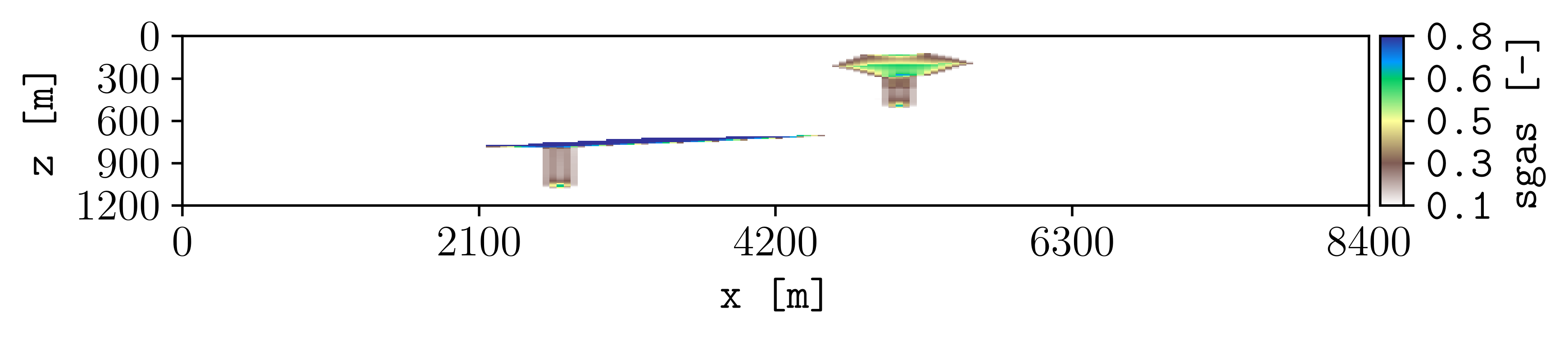
How it works#
plopm -oandplopm -fnSet the output directory and filename.
plopm -candplopm -clSet the colormap and color limits.
plopm -fzandplopm -dpiSet the font size and output resolution.
plopm -cbnandplopm -hideSet the number of colorbar labels and hide the title.
Try this#
Use plopm -x and plopm -y to focus on a model region. Use
plopm -xu and plopm -yu to change spatial units. Use
plopm -xf and plopm -yf to change the axis number format.
Next#
Continue with Create subfigures and comparisons. See Color scales and styling, Axes, coordinates, and formatting, and Titles, labels, and legends for all appearance controls.