
Create subfigures and comparisons#
Compare quantities in one figure.
Command#
plopm -i 'examples/SPE11C examples/SPE11B' -v sgas -s ',14, ,1,' -sg 1,2 -fs 12,2.2 -t "SPE11C SPE11B" -rdl 1
Result#
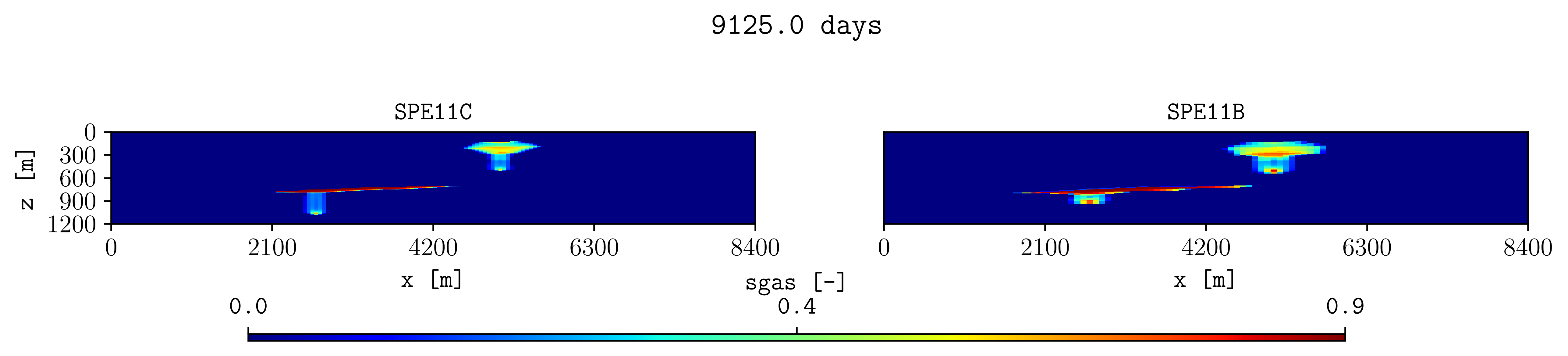
How it works#
plopm -sgCreates one row with two panels.
plopm -fsSets the total figure size.
plopm -tSets panel titles. Two spaces separate titles for different panels.
plopm -rdlRemoves duplicated axis labels.
Try this#
Compare the same average quantity at several restart steps with
plopm -r, or subtract another case with plopm -di. Use
consistent plopm -cl values for a fair visual comparison. Change the
colorbar location and size with plopm -cbp. Remove the title for
the group of subplots with plopm -st.
Next#
Continue with Follow changes over time. See Figure and subplot layout for subplot controls.