
Generate the first PNG#
Plot satnum on one plane of the SPE11C model (this version of the model has 27 cells along the y axis, then we pick the middle slice).
Command#
plopm -i examples/SPE11C -v satnum -s ,14,
Result#
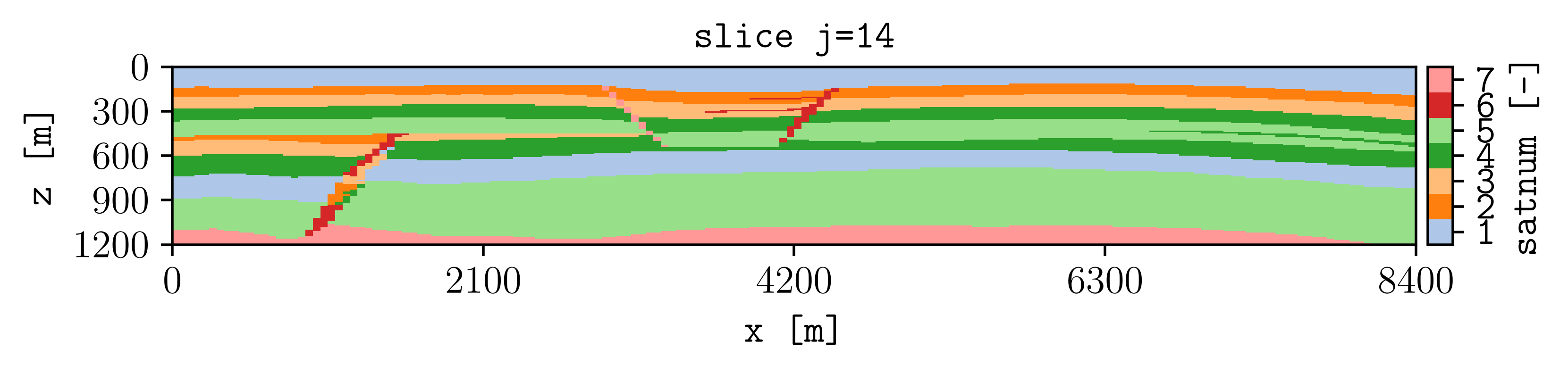
How it works#
plopm -iSelects the simulation case.
plopm -vSelects the quantity to plot.
plopm -sSelects the plane at
j=14.
A PNG is written to the current directory because plopm -m defaults
to png and plopm -o defaults to the current directory.
Try this#
Plot a summary variable:
plopm -i examples/SPE11C -v fgmip
Next#
Continue with Select variables and restart steps, or see the Examples gallery for complete recipes.