Hello World: generic deck workflow#
This is the recommended starting point for new pycopm users.
Learning objectives#
Coarsen and run a small OPM Flow deck.
Control pore-volume and active-cell aggregation.
Extract a polygonal submodel.
Refine selected intervals.
Rotate a generated grid.
Visualize outputs and optionally write explicit solution values.
Complete workflow#
For the HELLO_WORLD.DATA deck, by executing:
# From inside the main pycopm folder
cd examples/decks
pycopm -i HELLO_WORLD.DATA -c 5,5,1 -m all -o output
Note
If the folder to flow is not added to your path, then pass the full path to the flow executable using the flag -f /path/to/flow.
Using plopm, then we can visualize the generated files in the output folder:
flow HELLO_WORLD
flow HELLO_WORLD_PYCOPM
plopm -i HELLO_WORLD -v porv -s ,,1 -ge 'black,1e-2' -fn hello_world_1_left
plopm -i HELLO_WORLD_PYCOPM -v porv -s ,,1 -ge 'black,1e-2' -fn hello_world_1_right
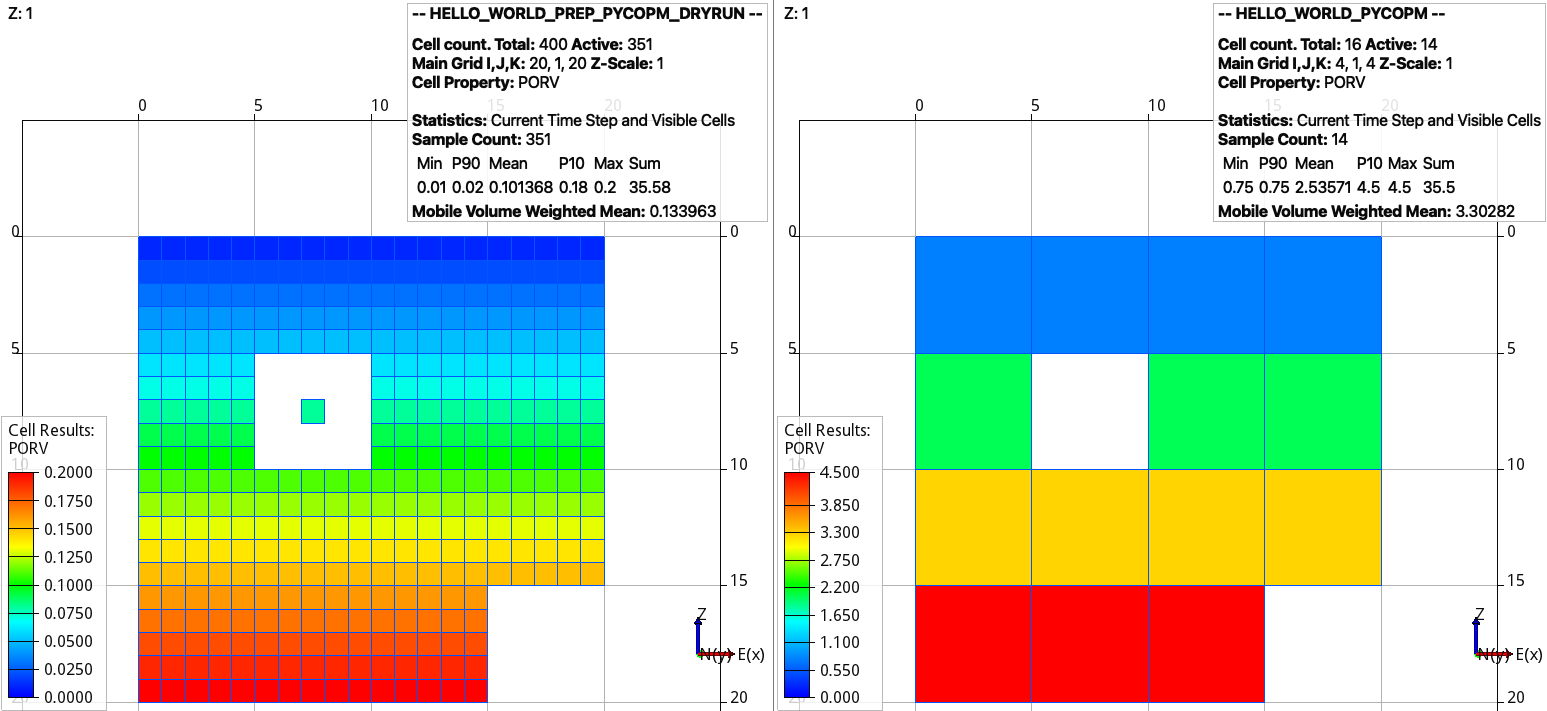
Dry run from the input cloned deck (left) and (right) coarsened model. Adding the flag -p 1 would add the remove pore volume to the neighbouring cells (figures using plopm, see/run docs_via_deck_hello_world.sh).#
As mentioned above, if you do not have ResInsight, then to visualize the results in ParaView run
flow HELLO_WORLD.DATA --enable-vtk-output=true
flow HELLO_WORLD_PYCOPM.DATA --enable-vtk-output=true
To make active the coarsened cell where there is only one active cell, this can be achieved by:
pycopm -i HELLO_WORLD.DATA -c 5,5,1 -m all -a max
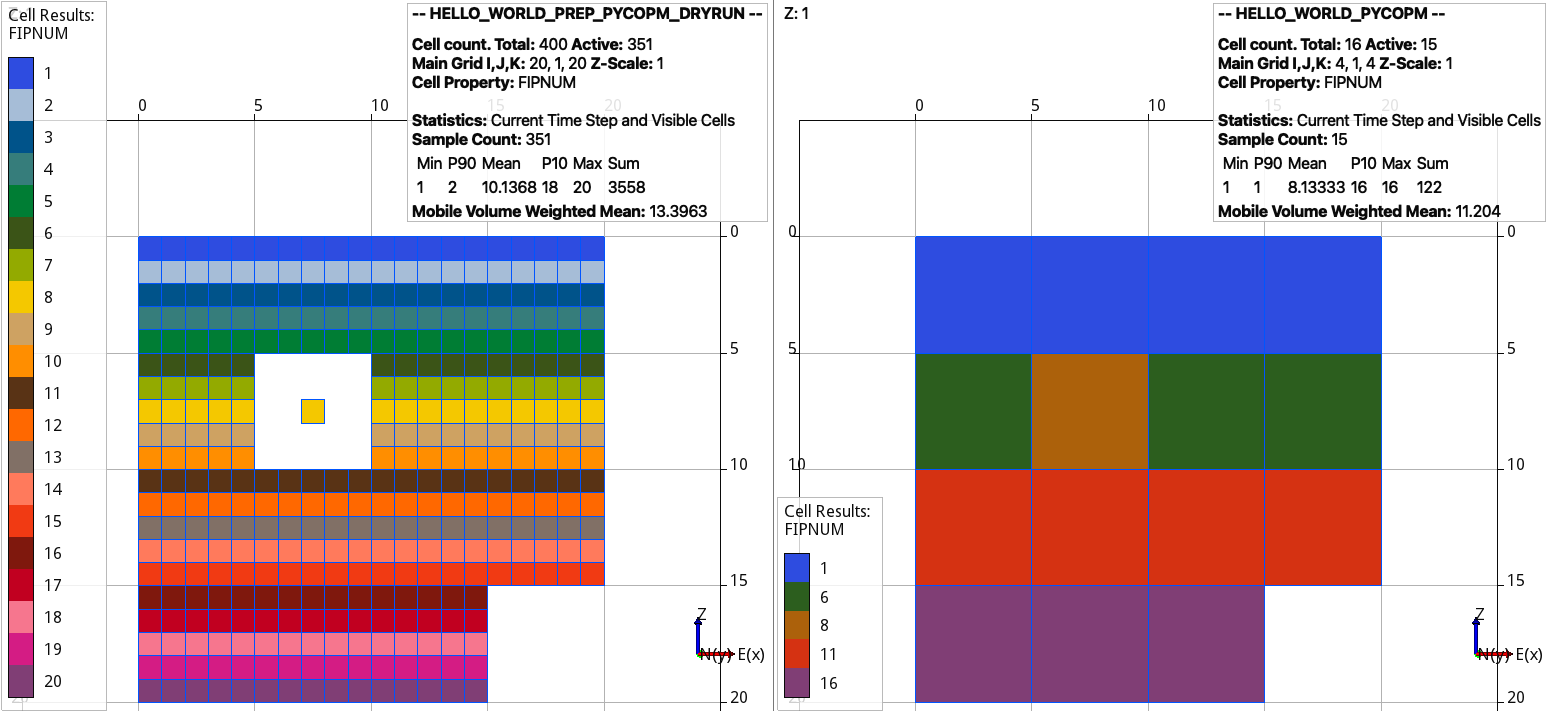
Dry run from the input cloned deck (left) and (right) coarsened model. The region numbers by default are given by the mode, e.g., use the flag -n max to keep the maximum integer (figures using plopm, see/run docs_via_deck_hello_world.sh).#
As described in the theory, pycopm can be not only used for grid coarsening, but also to apply grid refinements, submodels, and transformations. Then, with the following commands first we substract a submodel around the isolated grid cell proyecting the outside pore volume on the boundaries, after we apply a grid refinement on the cells in the middle x and y location, and finally we rotate the model 45 degrees.
pycopm -i HELLO_WORLD.DATA -v 'xypolygon [4,8.5] [4,16.5] [11.5,16.5] [11.5,8.5] [4,8.5]' -p 1 -m all
pycopm -i HELLO_WORLD_PYCOPM.DATA -rx 0,0,0,2,0,0,0 -ry 0,0,0,2,0,0,0 -m all
pycopm -i HELLO_WORLD_PYCOPM_PYCOPM.DATA -d 'rotatexy 45' -m all
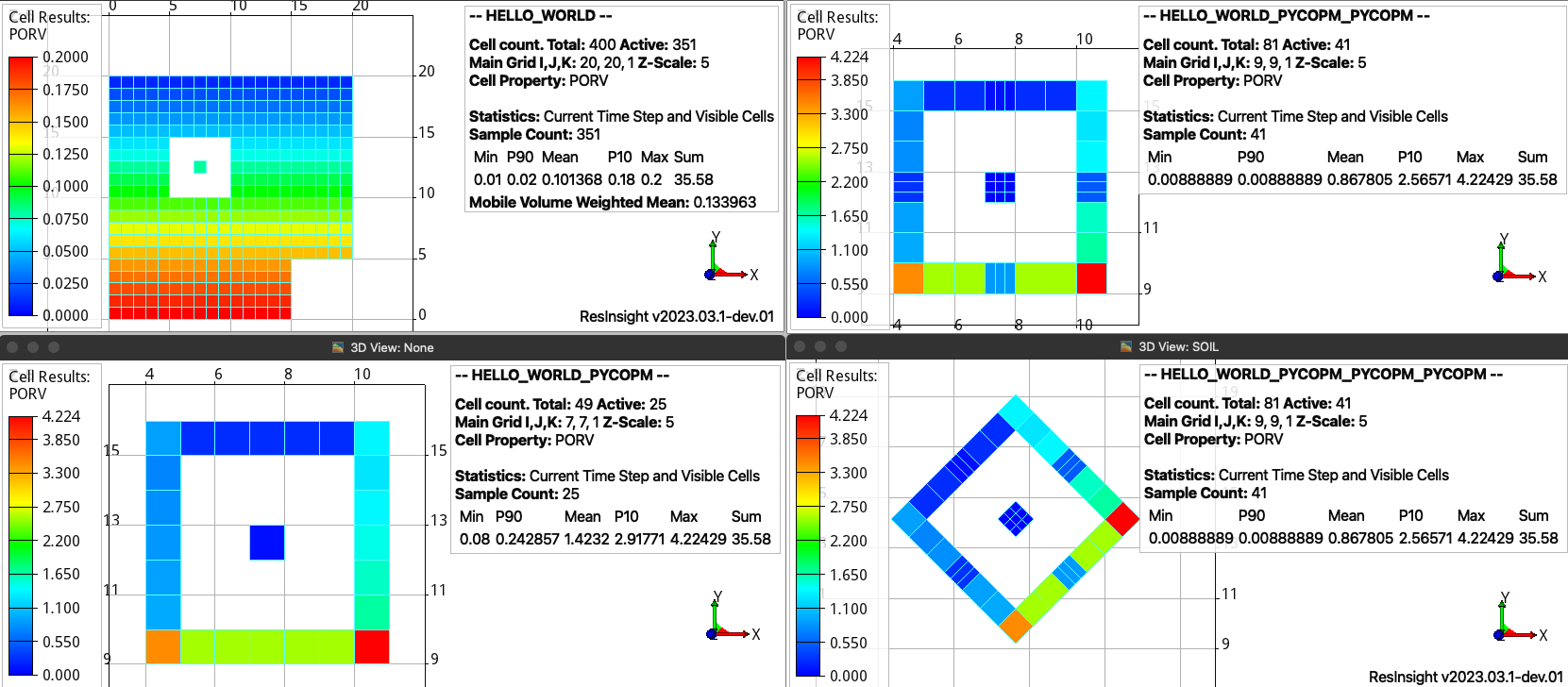
Extracted region with the projected pore volumes (bottom left), refinement around the center cells (top right), and rotation (bottom right). The text in the legends highlight that the pore volume is conserved (35.58) and the number of active cells is reduced from 351 to 25 in the submodel and after increased to 41 due to the grid refinement (figures using plopm, see/run docs_via_deck_hello_world.sh).#
Note
To write the cell values for the SOLUTION section instead of using the EQUIL keyword, this can be achieved by the flag -explicit 1; the only requirement is that the EQUIL keyword needs to be in the main input DATA file and no via INCLUDE files.
Next steps#
Read Theory and methods for equations and method details.
Use Command-line reference for defaults and compatibility.
Continue with Examples for larger models.