
Filters#
Select cells by applying conditions to static or dynamic model variables.
Filter syntax#
Use plopm -flt to define cell-selection conditions:
Join multiple conditions for one input with
&.Separate filters for different inputs with commas.
Leave an entry empty when no filter should be applied to the corresponding input.
Quote the complete filter expression so the shell does not interpret
&.
Compare filtered selections#
The following command reads the same SPE11B case three times and applies a different filter to each input:
plopm -i 'SPE11B SPE11B SPE11B' -flt ',fipnum >= 2 & fipnum != 4,satnum == 5' -v fipnum -sg 3,1 -rdl 1 -cbf .0f -fs 7,4 -cbp 0.15,0.97,0.7,0.02 -t 'No filter fipnum >= 2 and fipnum != 4 satnum == 5' -st 0
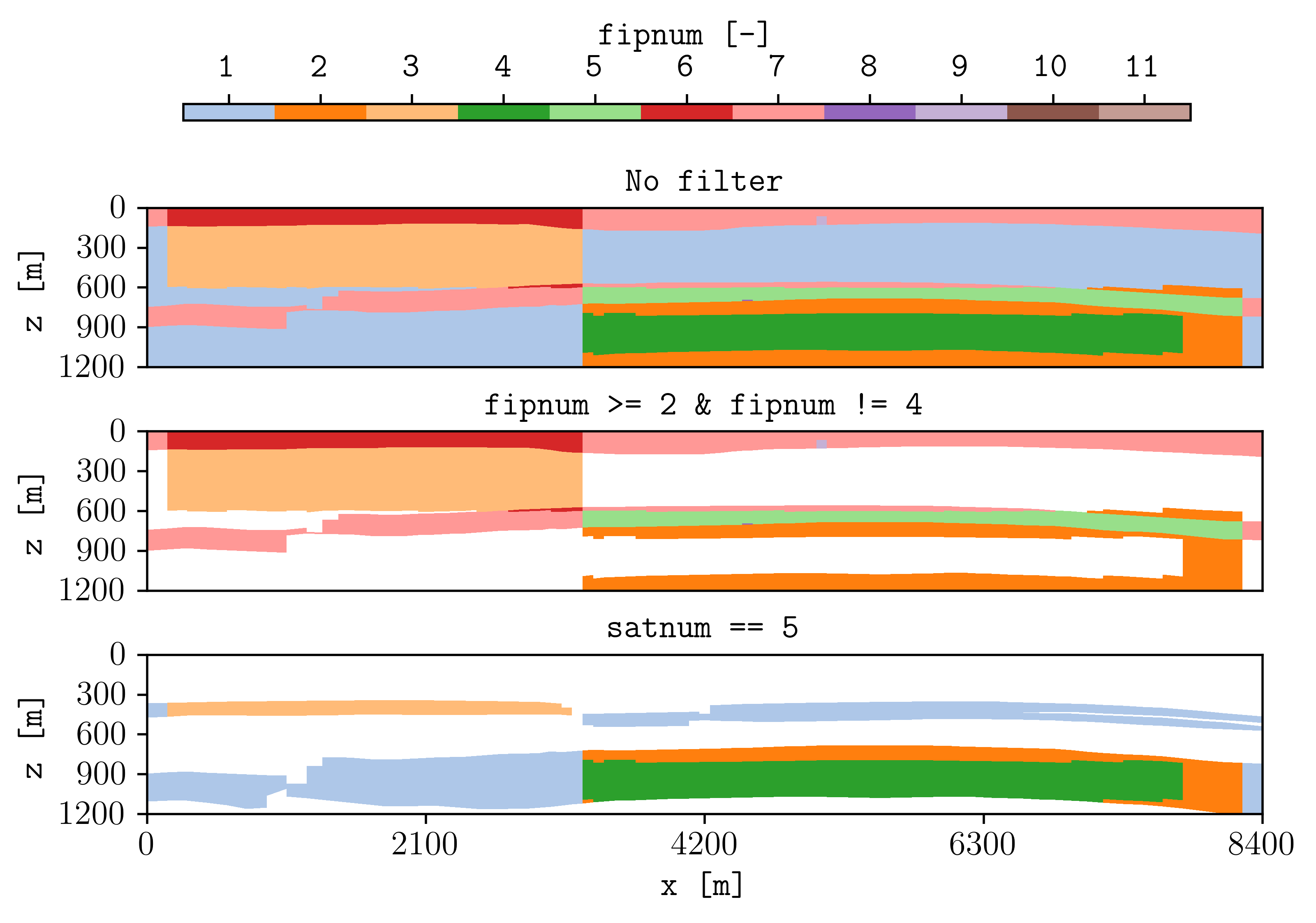
fipnum without filtering, with two joined fipnum conditions, and
with cells restricted to satnum == 5.#
The three comma-separated filter entries correspond to the three inputs in the same order:
emptyApplies no filter to the first input.
fipnum >= 2 & fipnum != 4Keeps cells whose FIP region is at least 2 while excluding region 4.
satnum == 5Keeps cells assigned to facies 5.
The subplot options arrange and format the comparison:
plopm -sgcreates three rows and one column.plopm -rdlremoves repeated axis labels.plopm -cbfdisplays discrete FIP values without decimal places.plopm -cbppositions the shared horizontal colorbar.plopm -tassigns one title to each subplot; two spaces separate the titles.plopm -stremoves the common figure title.
Supported conditions#
Filters can use comparison operators such as ==, !=, >, >=,
<, and <=. The variable named in a condition does not need to be the
same variable selected with plopm -v.
For example, this plots gas saturation only in facies 5:
plopm -i SPE11B -v sgas -flt 'satnum == 5'
Dynamic filters#
Filters using dynamic variables, such as sgas, require RPORV in the
OPM Flow RPTRST output request. The filter is evaluated at the selected
restart step.
For example:
plopm -i SPE11B -v pressure -r 4 -flt 'sgas >= 0.2'
This plots pressure only in cells where gas saturation is at least 0.2 at restart step 4.
Reproduce this example#
Run the complete workflow from the repository root:
. ./tests/scripts/docs_filters.sh