
Rotation, translation, and zoom#
Transform, crop, and inspect the Norne grid.
Start with the Norne top view#
Plot the first layer before applying coordinate transformations:
plopm -i NORNE_ATW2013 -s ,,1
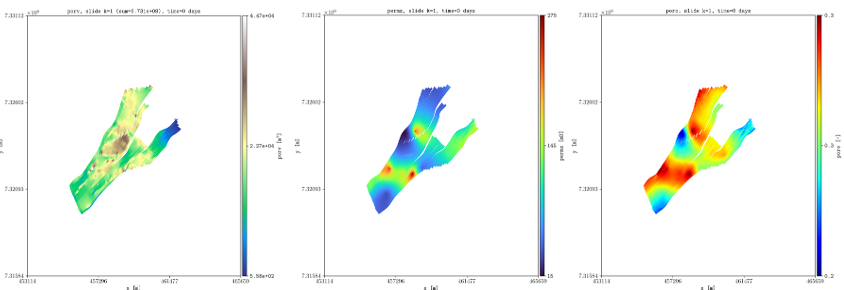
Original top view of the first Norne layer.#
Rotate, translate, and crop the grid#
Rotate the model by 65 degrees, translate the coordinates, and crop the map to the selected x and y limits:
plopm -i NORNE_ATW2013 -s ,,1 -rot 65 -tr '[6456335.5,-3476500]' -x '[0,5600]' -y '[0,7600]' -fz 8
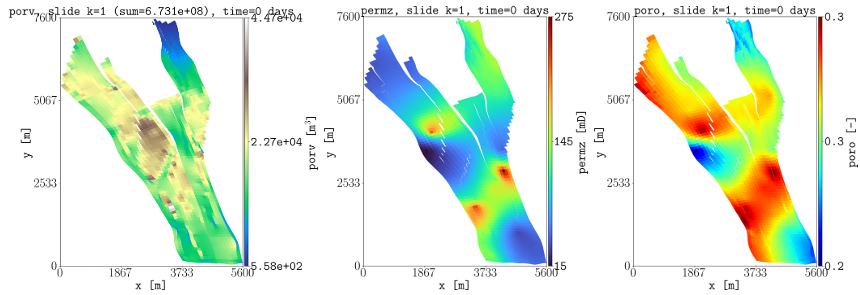
Norne after rotation, translation, and spatial cropping.#
The transformation options are applied in the following order:
plopm -rotrotates the grid counterclockwise by the selected angle in degrees.plopm -trtranslates the rotated x and y coordinates.plopm -fzsets the font size.
Use the same transformation values when comparing properties, faults, wells, or other spatial outputs from the same model. See Wells and faults for Norne fault and well examples using this transformation.
Reproduce this example#
Run the complete workflow from the repository root:
. ./tests/scripts/docs_rotation_translation_zoom.sh